Client Goals & Support Platform
Overview
SMART Management is a web platform for a US business advisory firm. Its advisors coach small and mid-sized companies through the SMART framework, and the platform gives both sides one place to work: clients set goals and track the work behind them, and advisors follow every client's progress, answer support tickets and log their time. I designed the whole product, from the role and object model to every screen and the design system, and did it entirely in code with Claude Code, as a working HTML prototype instead of static mockups.
Problem
Advisory work is structured but rarely tidy. Clients need one clear view of their goals and the work behind them, advisors need a shared queue for client requests with response times they can keep, and the firm needs to see how many hours each account is using against its contract.
The platform had to serve three very different groups: business owners and their teams on the client side, advisors with different levels of responsibility on the advisory side, and the firm's own administrators overseeing everything. It also had to feel like advisory-grade software, closer to an operations cockpit than to Asana or Monday, and long-term the firm wants to sell it as a product of its own beyond its existing clients.
Approach
I started with the model before any screen. Work follows a Goal, Project, Objective, Task hierarchy, but real clients rarely plan that neatly, so I mapped seven valid paths through it, from a fully structured goal down to a standalone task, and made sure no screen forces someone to create every level just to add one item. I then mapped what each of the seven roles can see and do, across the client, advisor and administrator sides, and how three service tiers change the support a client gets.
Because the whole product was designed with Claude Code, every screen was a real, clickable page from the first iteration. I could test interactions like inline editing, sorting and ticket replies with the team in each weekly review and change them the same day, and the developer received working HTML and CSS rather than a picture to reinterpret.
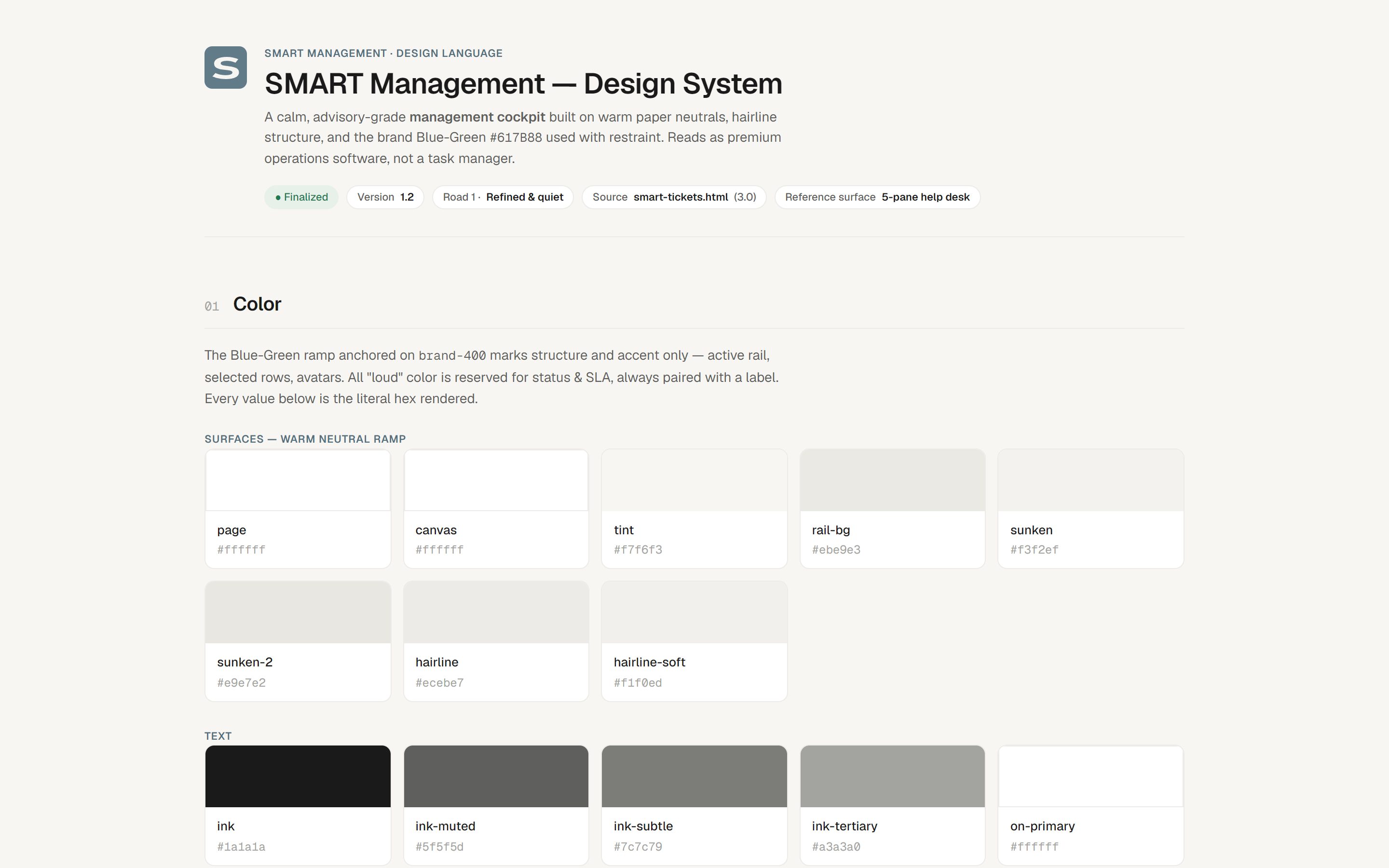
The visual direction is calm and quiet: warm paper neutrals, hairline structure and the brand's blue-green used only for structure and focus. Loud colour is kept for status and SLA timers, always paired with a label, so an advisor can scan a queue and see at once what needs attention.
Platform
Here are the main screens from the prototype, for clients, advisors and administrators.
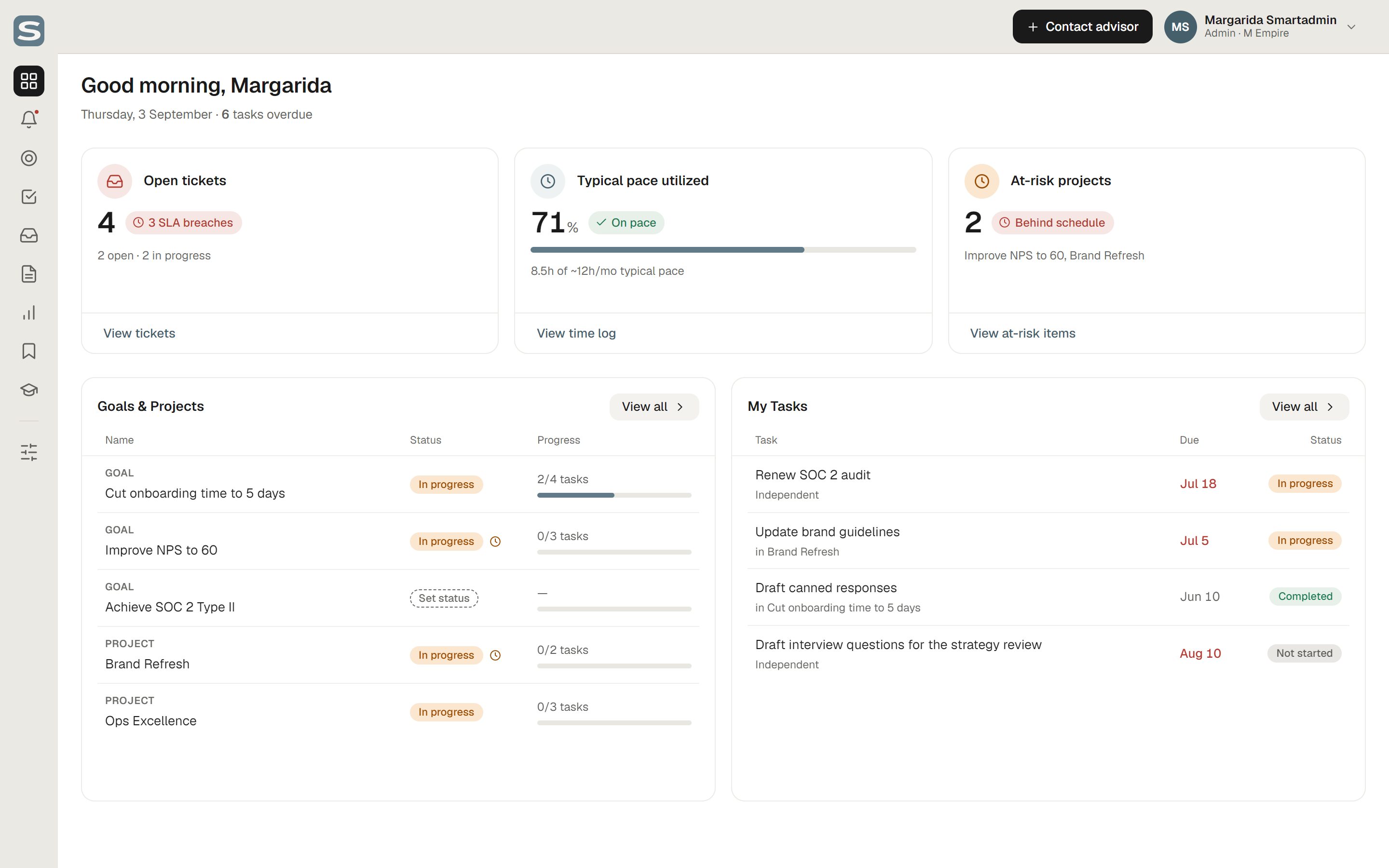
Client dashboard
The client's starting point: open tickets and SLA breaches, how much of their typical monthly advisory pace they've used, which projects are behind schedule, and their goals and tasks with progress.
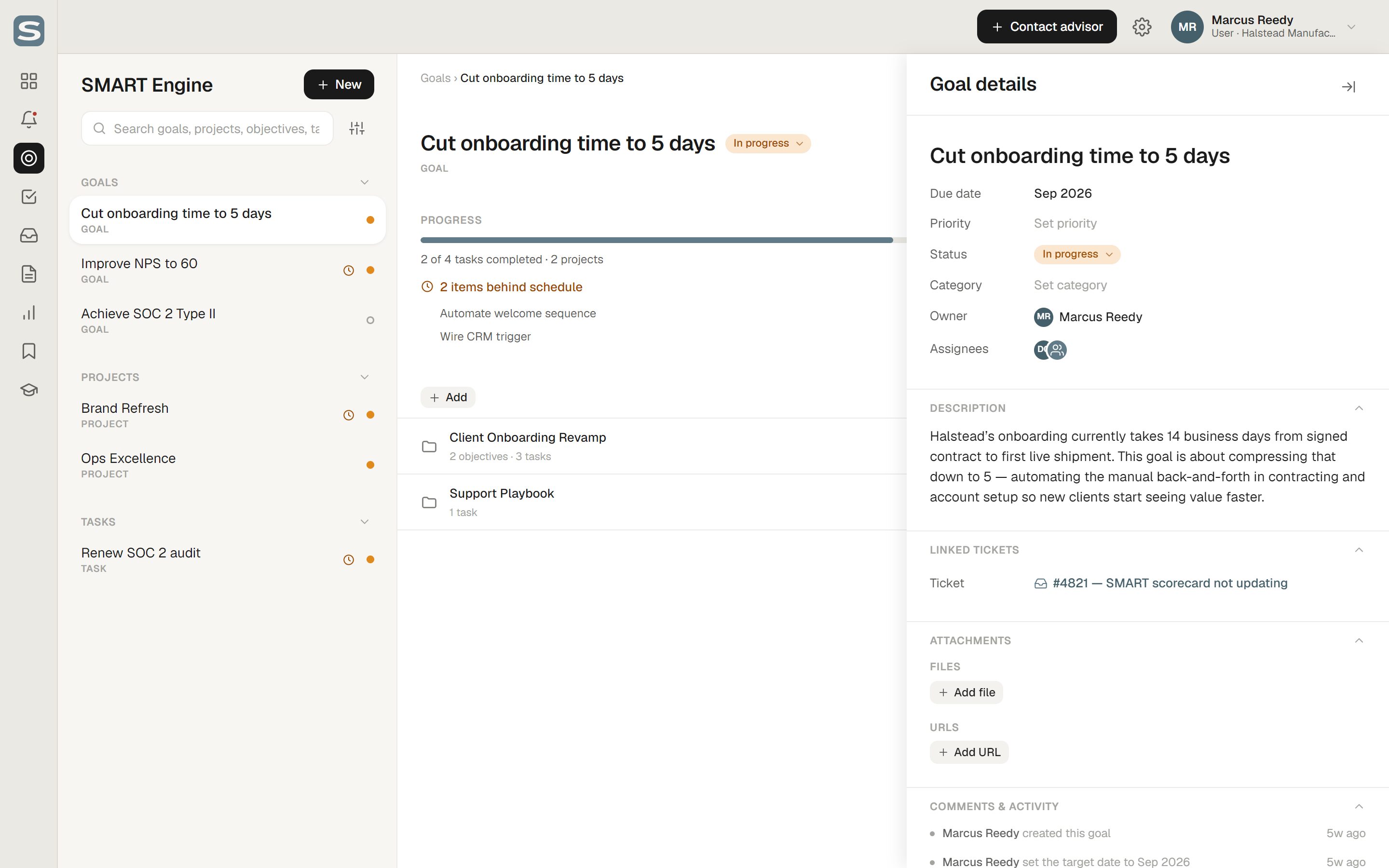
SMART Engine
Where goals, projects, objectives and tasks are planned. The list on the left groups every object by type, the centre shows its progress, counted from completed tasks, and anything behind schedule, and the details panel holds dates, owners, linked tickets, files and links to external folders.
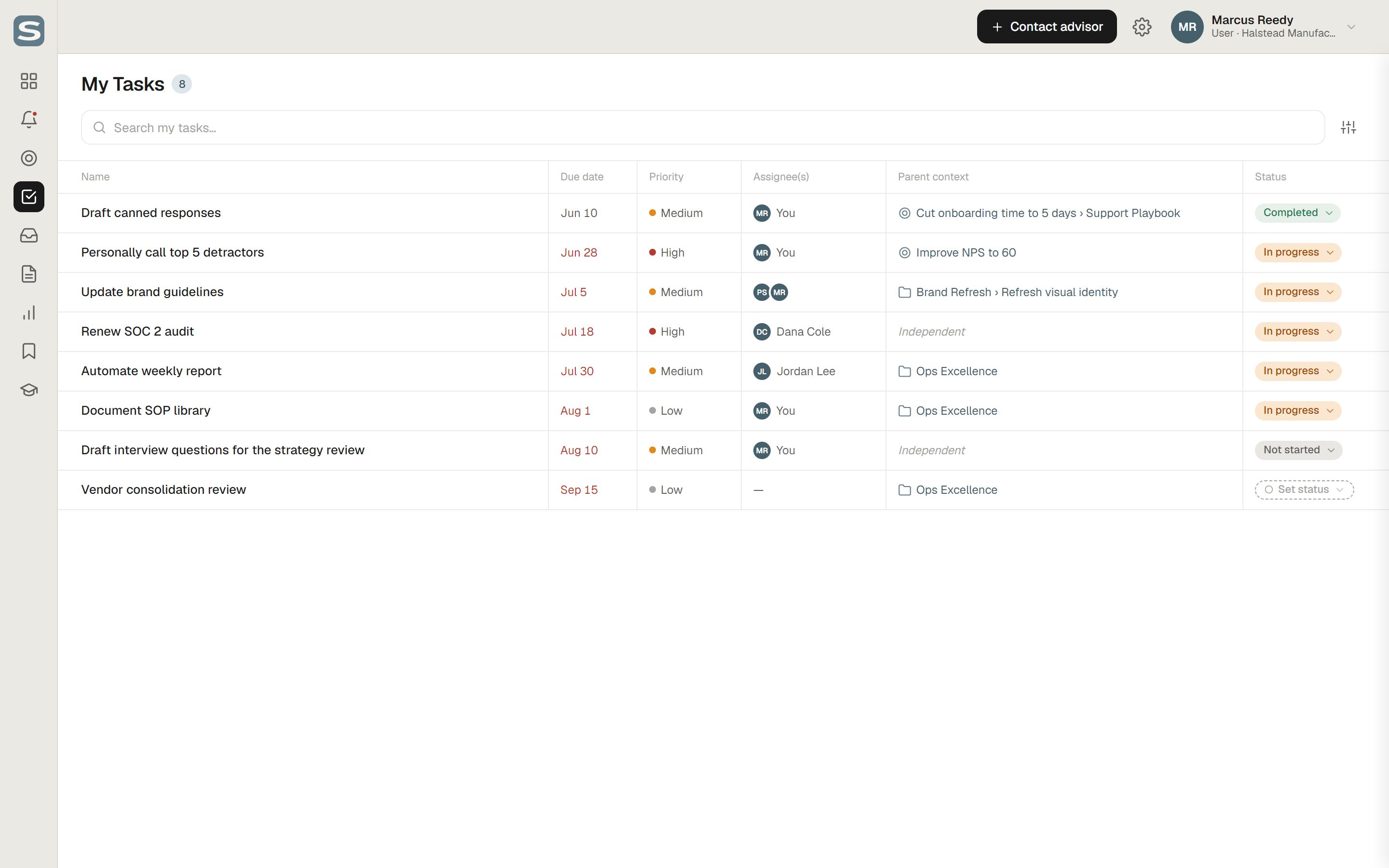
My Tasks
Every task assigned to the user across all goals and projects, with its parent context so it never loses its place in the plan. Due date, priority and status can be changed inline, and tasks with no parent show clearly as independent.
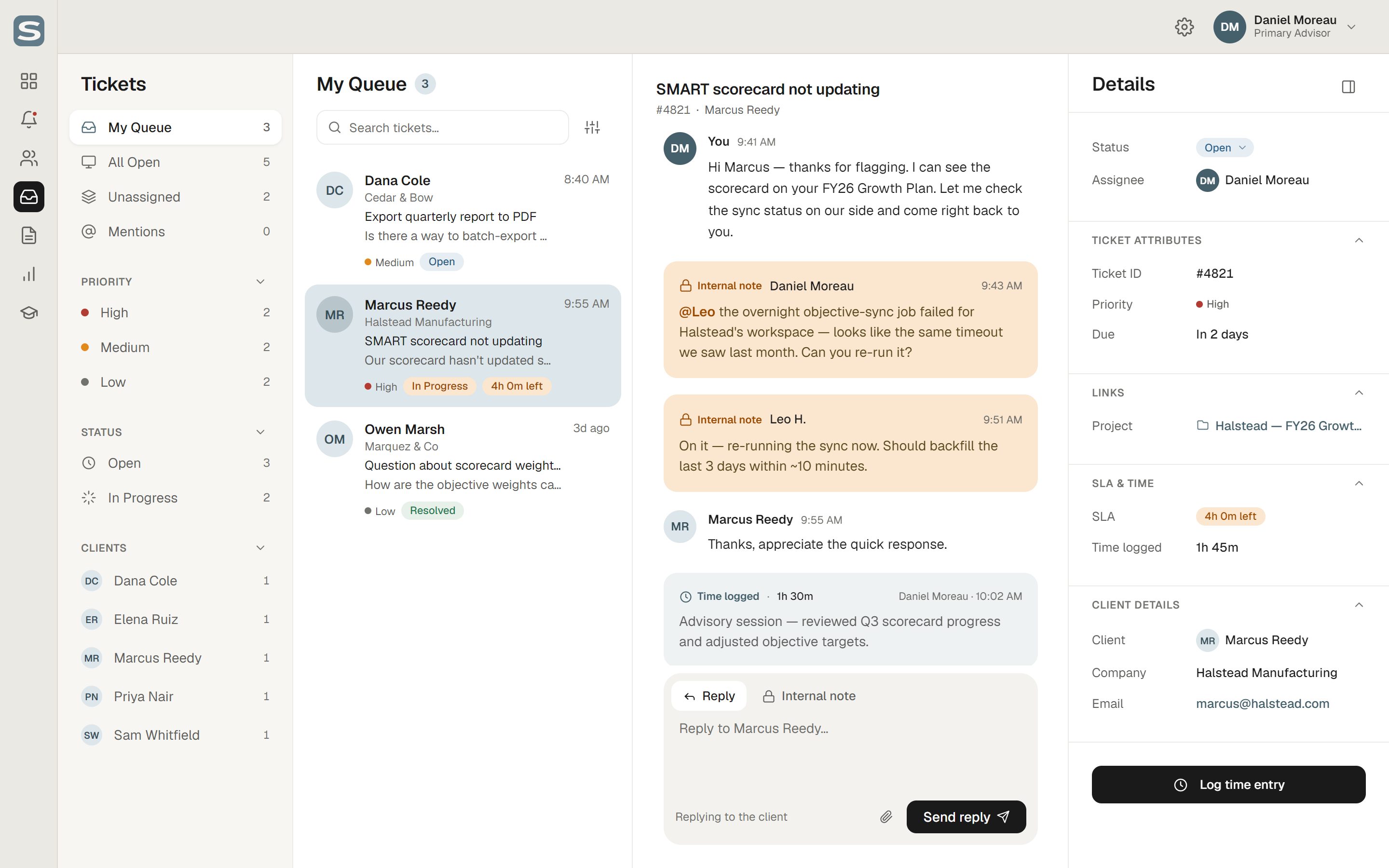
Tickets
The advisor's help desk, built as a quiet five-pane inbox. Tickets are filtered by queue, priority, status and client; each conversation mixes client replies with internal notes only the advisory team can see; and the details panel shows the SLA time remaining, time logged and the goal or project the ticket is linked to.
Advisor dashboard
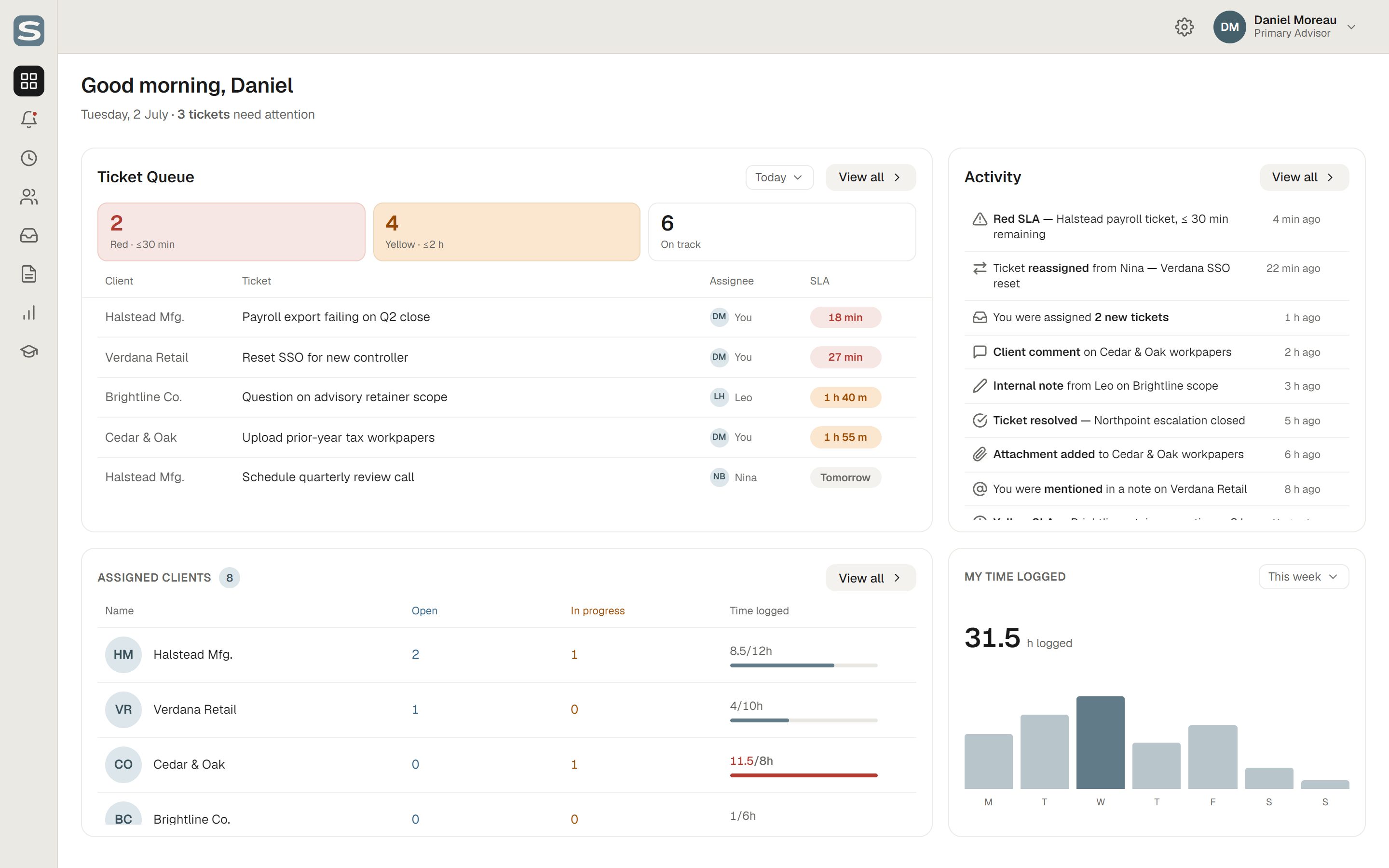
The ticket queue is sorted by how much SLA time is left, with red and yellow counts at the top, next to recent activity, the advisor's assigned clients with hours used against their contract, and their own time logged this week.
My time
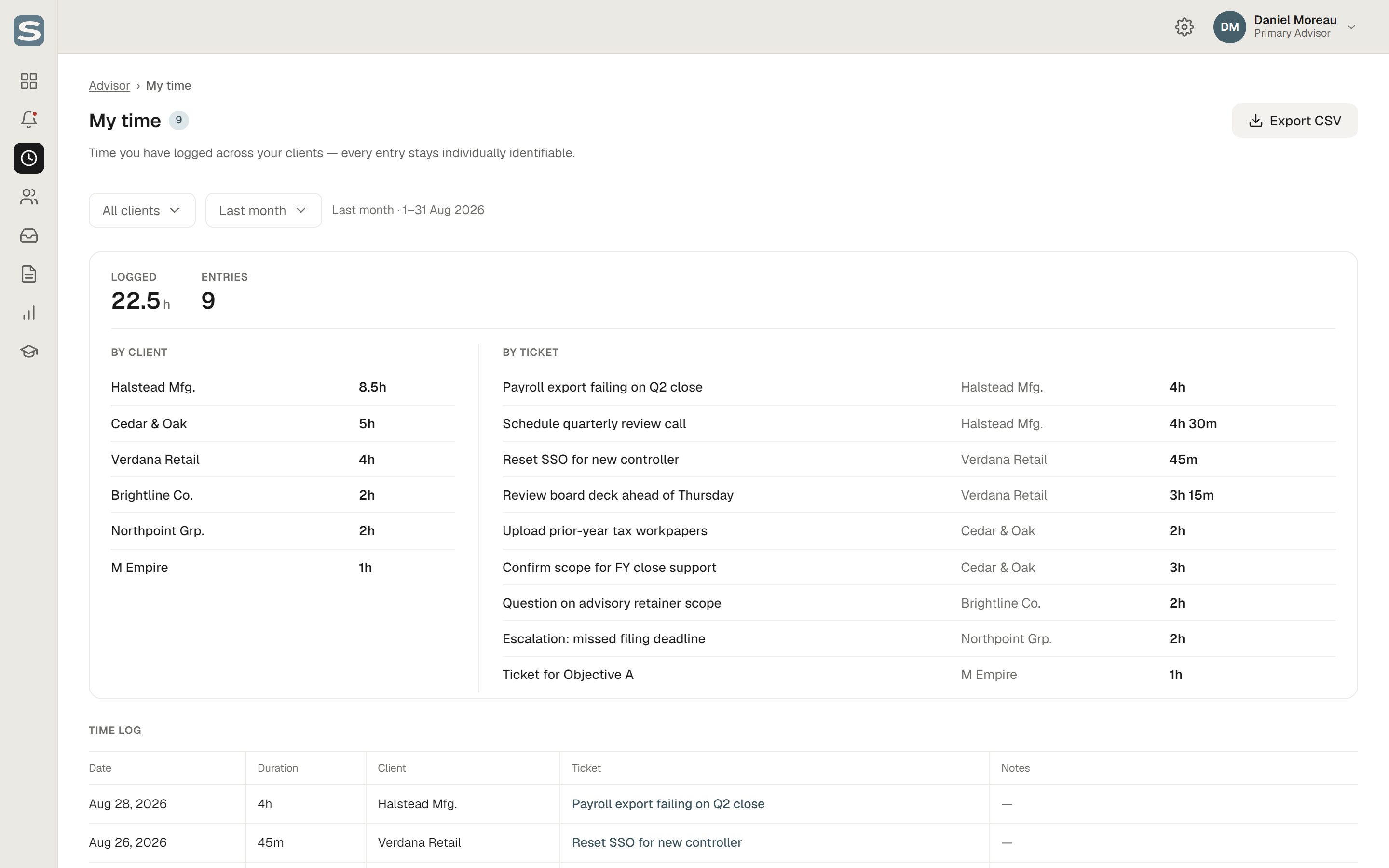
Every hour an advisor logs, broken down by client and by ticket, with each entry kept individually identifiable and exportable as CSV.
Admin dashboard
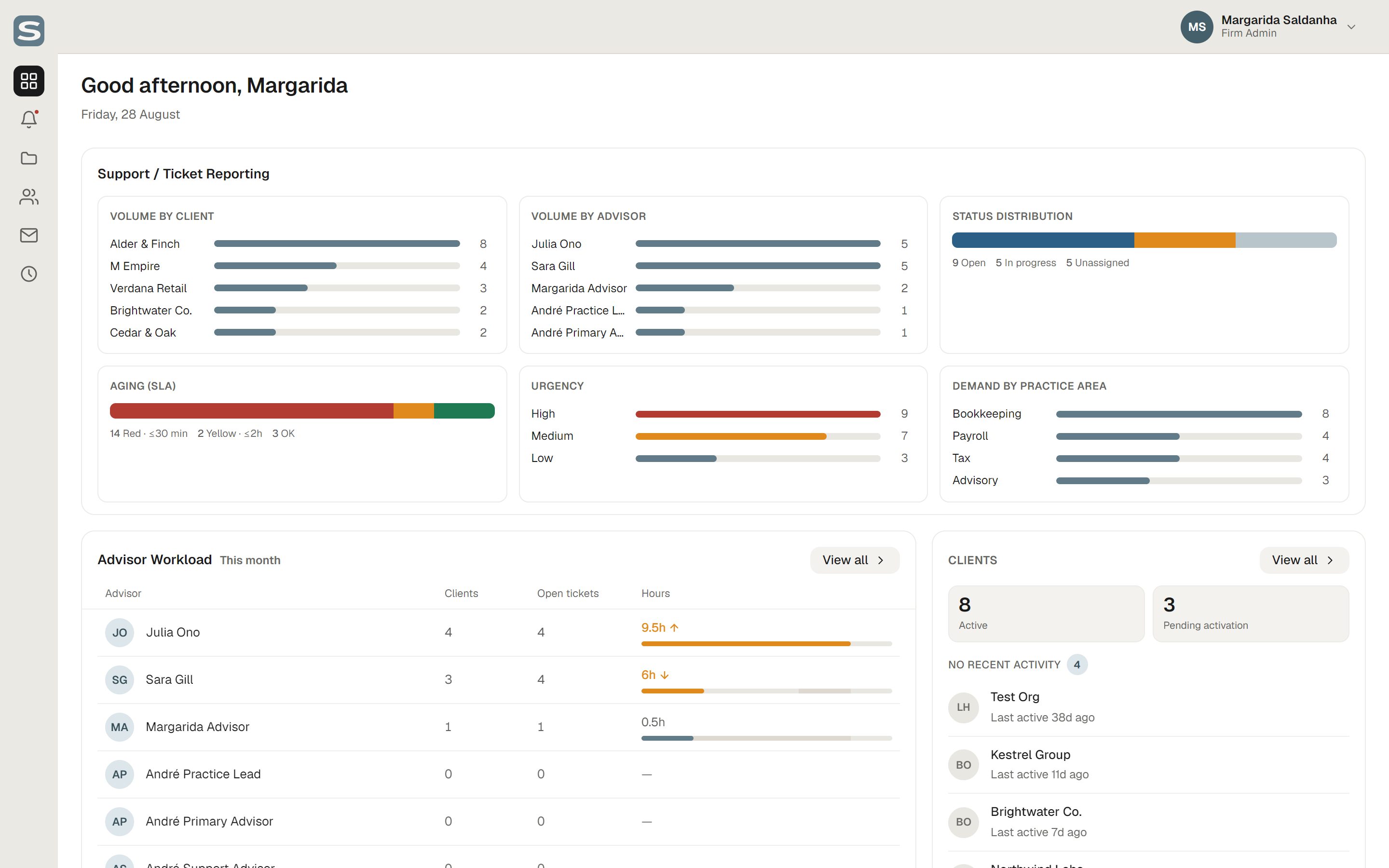
The firm's overview across every client: ticket volume by client and advisor, SLA aging, urgency, demand by practice area, advisor workload for the month and clients with no recent activity.
Design system
The design language is documented as a live reference page alongside the prototype, with colour, type, spacing and components written as tokens the developer uses directly.
Outcome
SMART Management is live, and the firm's advisors and their clients use it to plan goals, handle support and track hours. Designing in code with Claude Code meant every decision was reviewed in a working prototype, and the developer built from real HTML and CSS instead of interpreting static designs.