Exceptional Leadership
Role
UI Designer
Client
Exceptional Leadership
Year
2025
Type of work
Mobile appWeb portalUI design
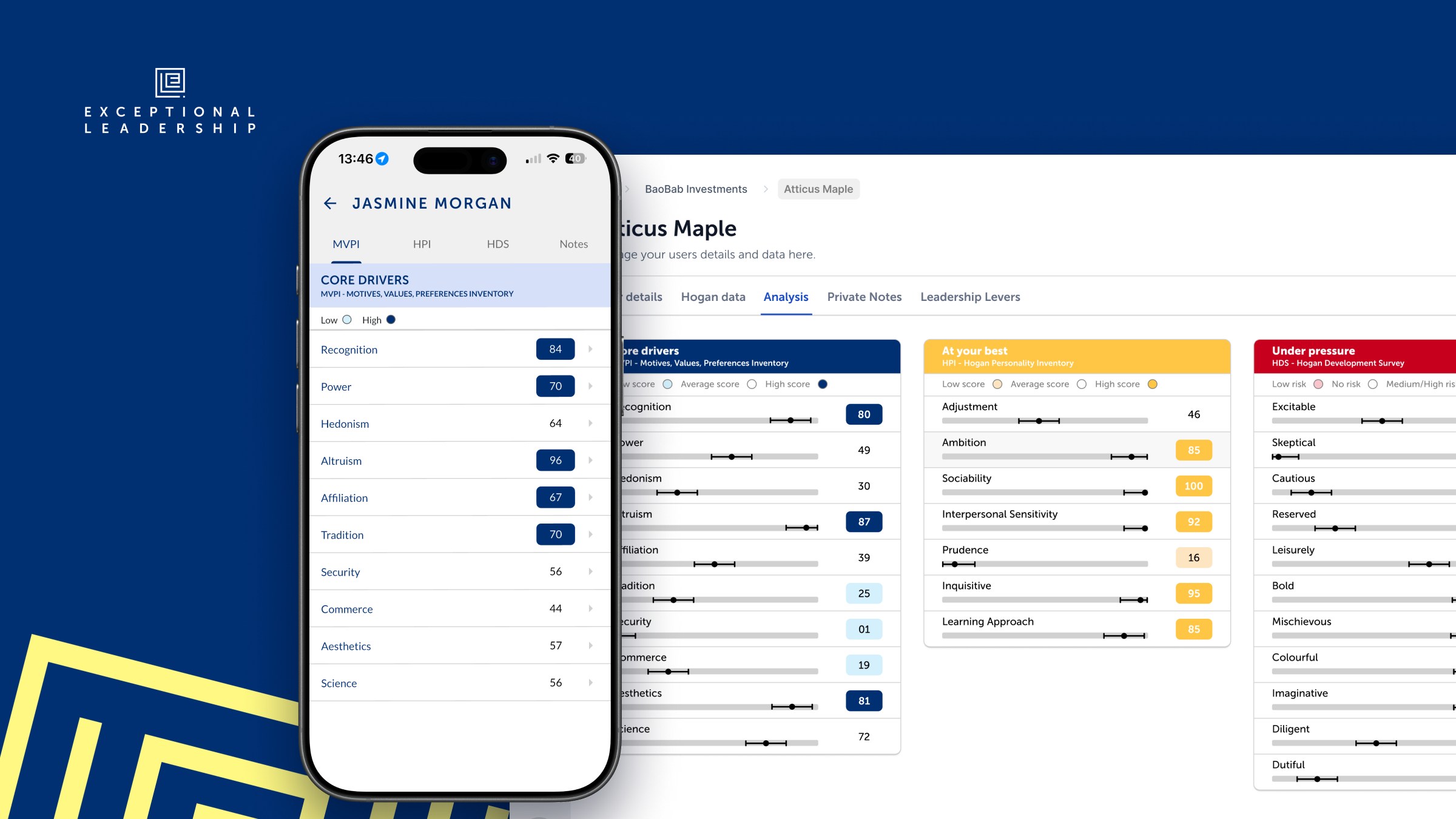
Exceptional Leadership cover: the logo and yellow pattern on navy, with the mobile app showing a core drivers profile in front of the web portal showing an individual's analysis across the three Hogan reports

Overview

Exceptional Leadership (opens in a new tab) is a UK consultancy that assesses and develops senior leaders and teams using Hogan personality data. I designed a mobile app and a web portal where their clients can explore their own results, compare themselves with colleagues, and see the dynamics of their teams and organisation.

Problem

All the assessment data lived in Excel. The team matched results by hand and built PDF presentations to share them with each client, which was slow to produce and gave clients a static report rather than something they could come back to and explore.

Process

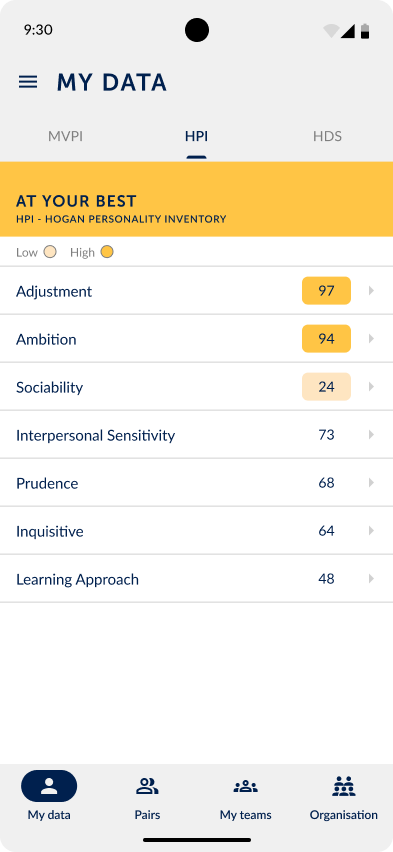
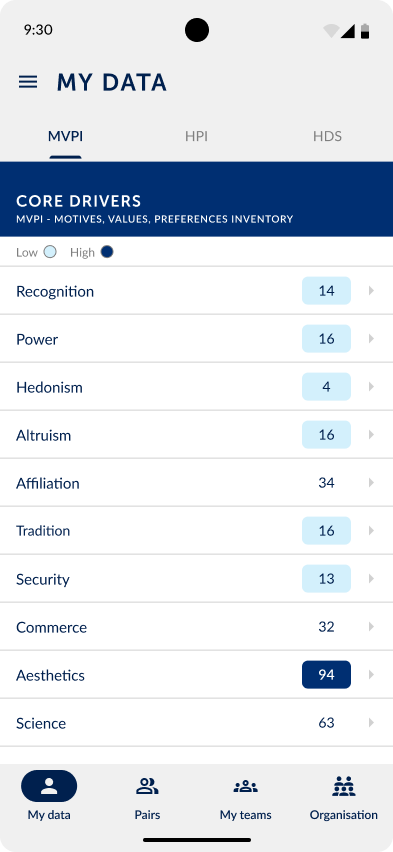
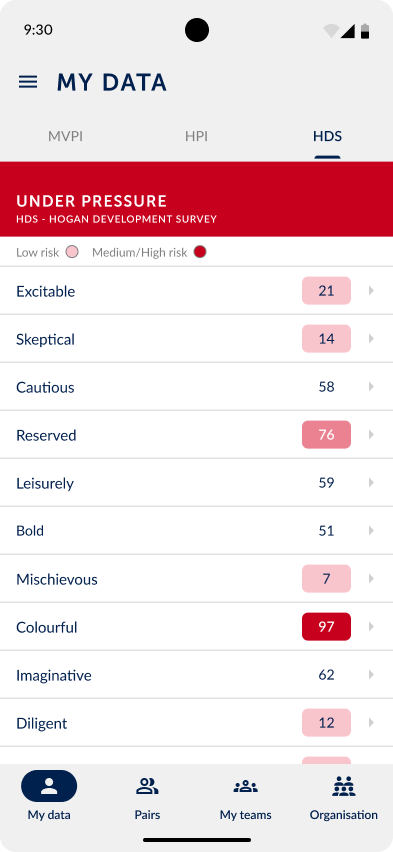
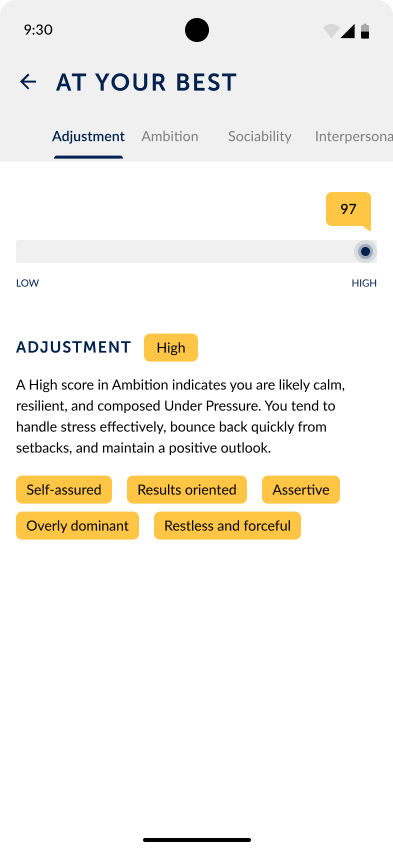
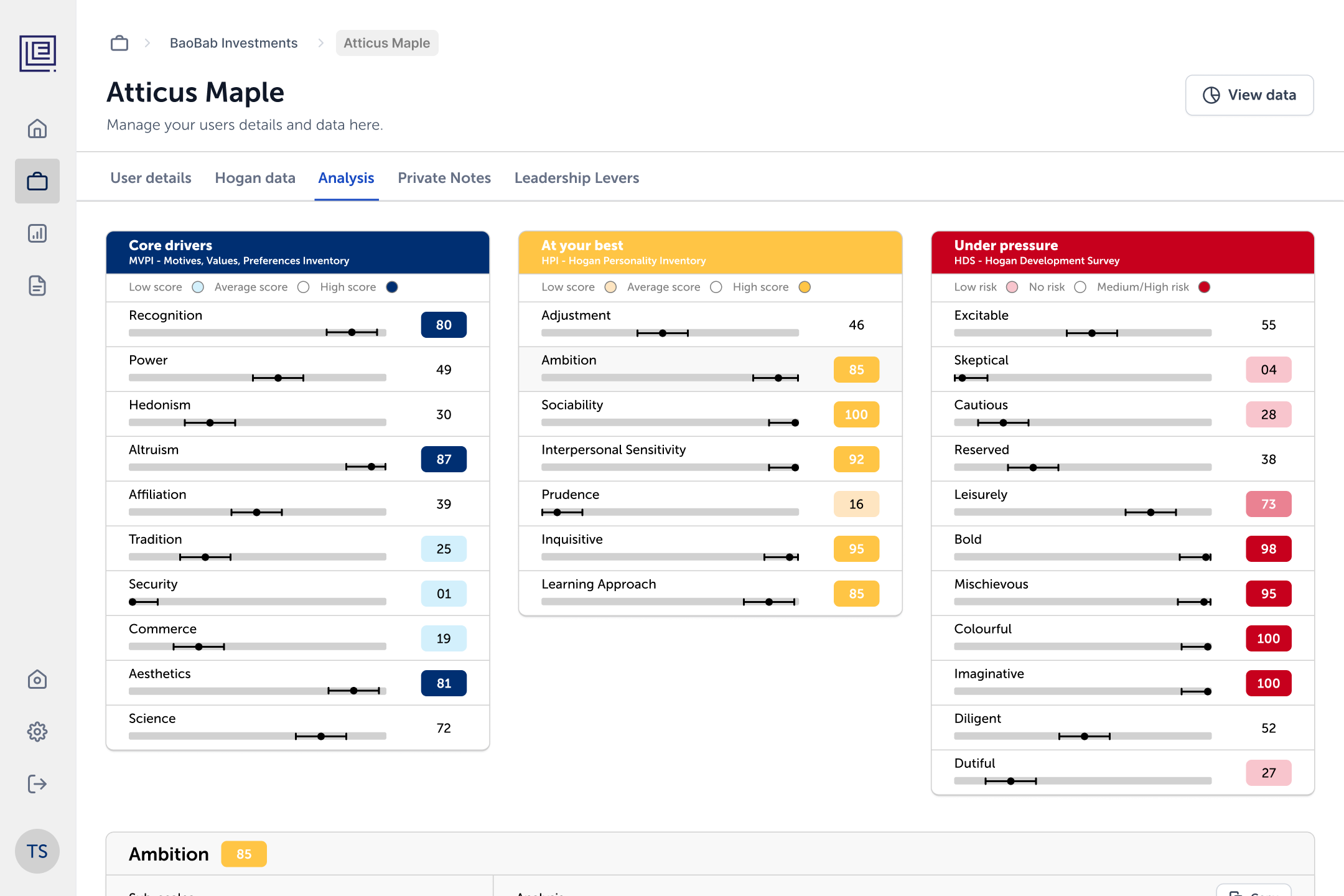
Each person's results are split across three Hogan reports, so I gave each one its own colour and name: core drivers (MVPI) in navy, "at your best" (HPI) in yellow and "under pressure" (HDS) in red. Every score opens into a plain-language explanation with the traits it tends to show, so people don't need a coach in the room to understand their profile.

My data
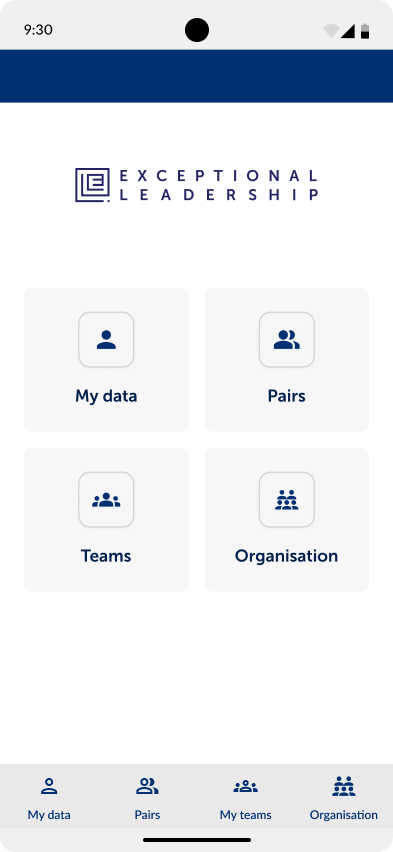
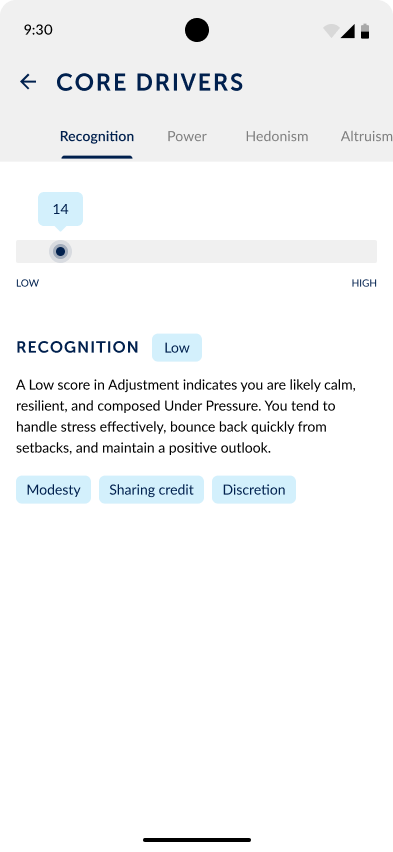
Home screen with shortcuts to My data, Pairs, Teams and Organisation My data, At your best tab in yellow, listing HPI scores such as Adjustment, Ambition and Sociability My data, Core drivers tab in navy, listing MVPI scores such as Recognition, Power and Altruism My data, Under pressure tab in red, listing HDS risk scores such as Excitable, Skeptical and Colourful Adjustment score detail with a slider, a High badge, an explanation and trait tags Recognition score detail with a slider, a Low badge, an explanation and trait tags

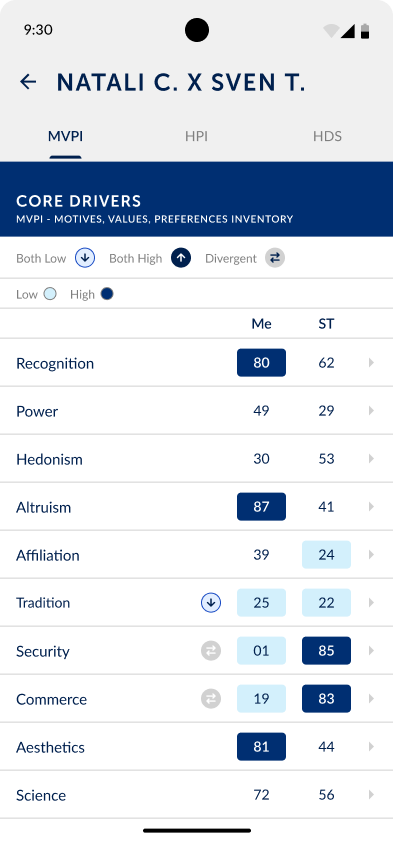
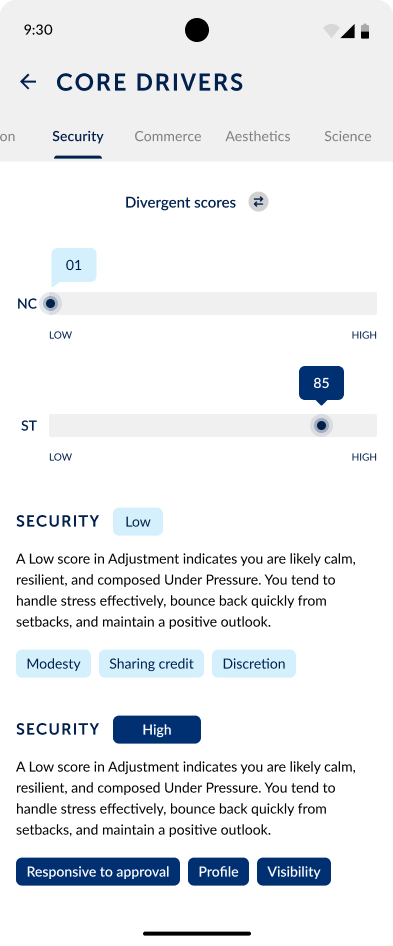
Pairs lets anyone compare their profile with a colleague's. Scores sit side by side, with icons flagging where both are high, both are low, or where the two people diverge, which is often where working relationships need the most attention.

Pairs
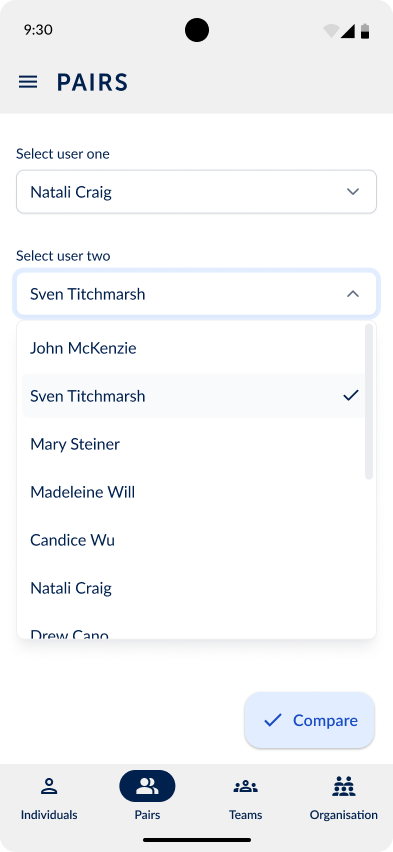
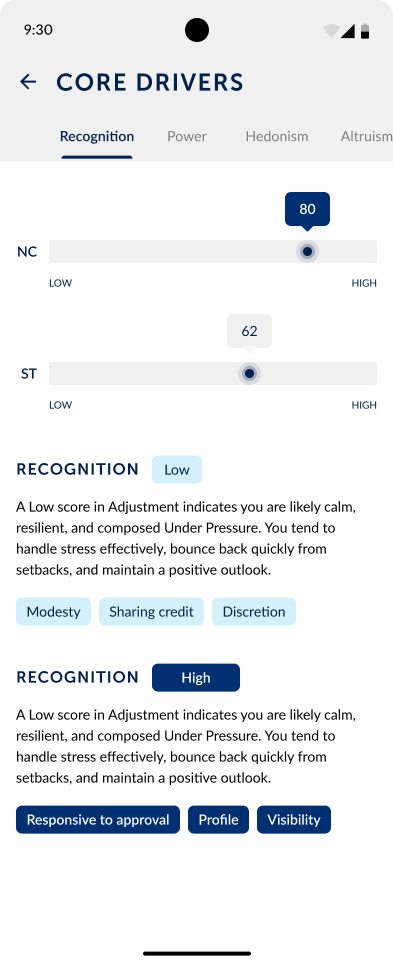
Pairs screen with dropdowns to choose two people to compare Comparison table of two people's core driver scores, with icons for both low, both high and divergent scores Recognition compared for two people on two sliders, with an explanation for each Divergent scores on Security, with one person low and the other high

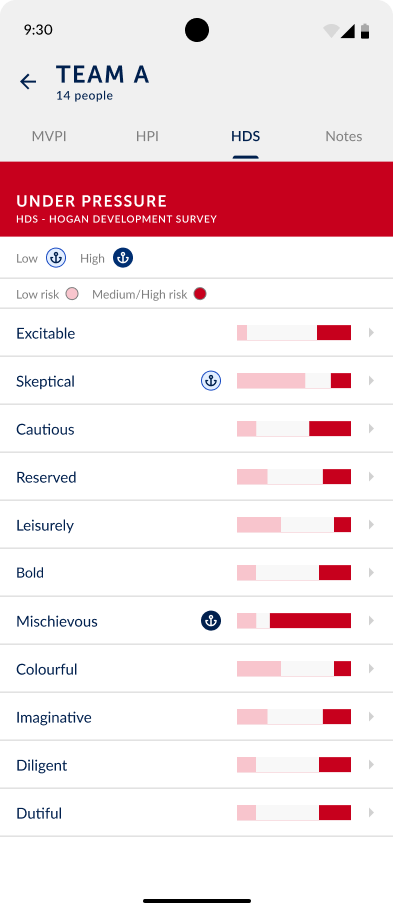
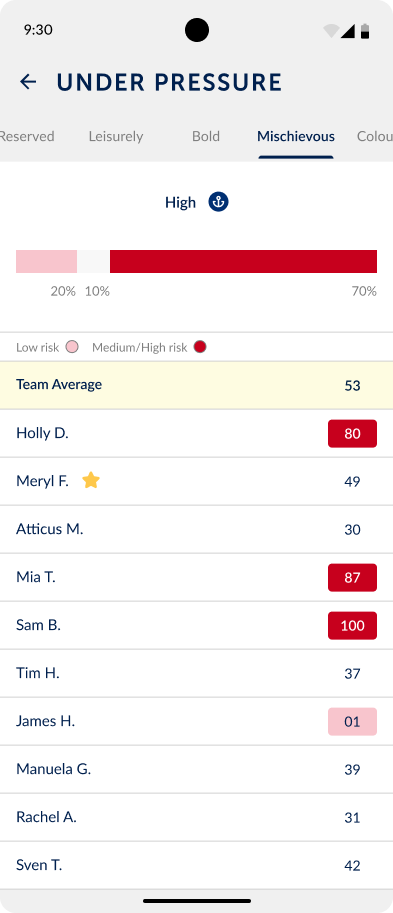
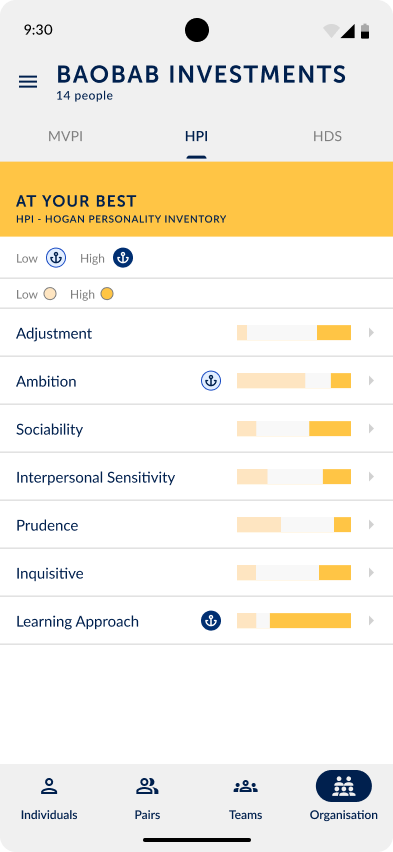
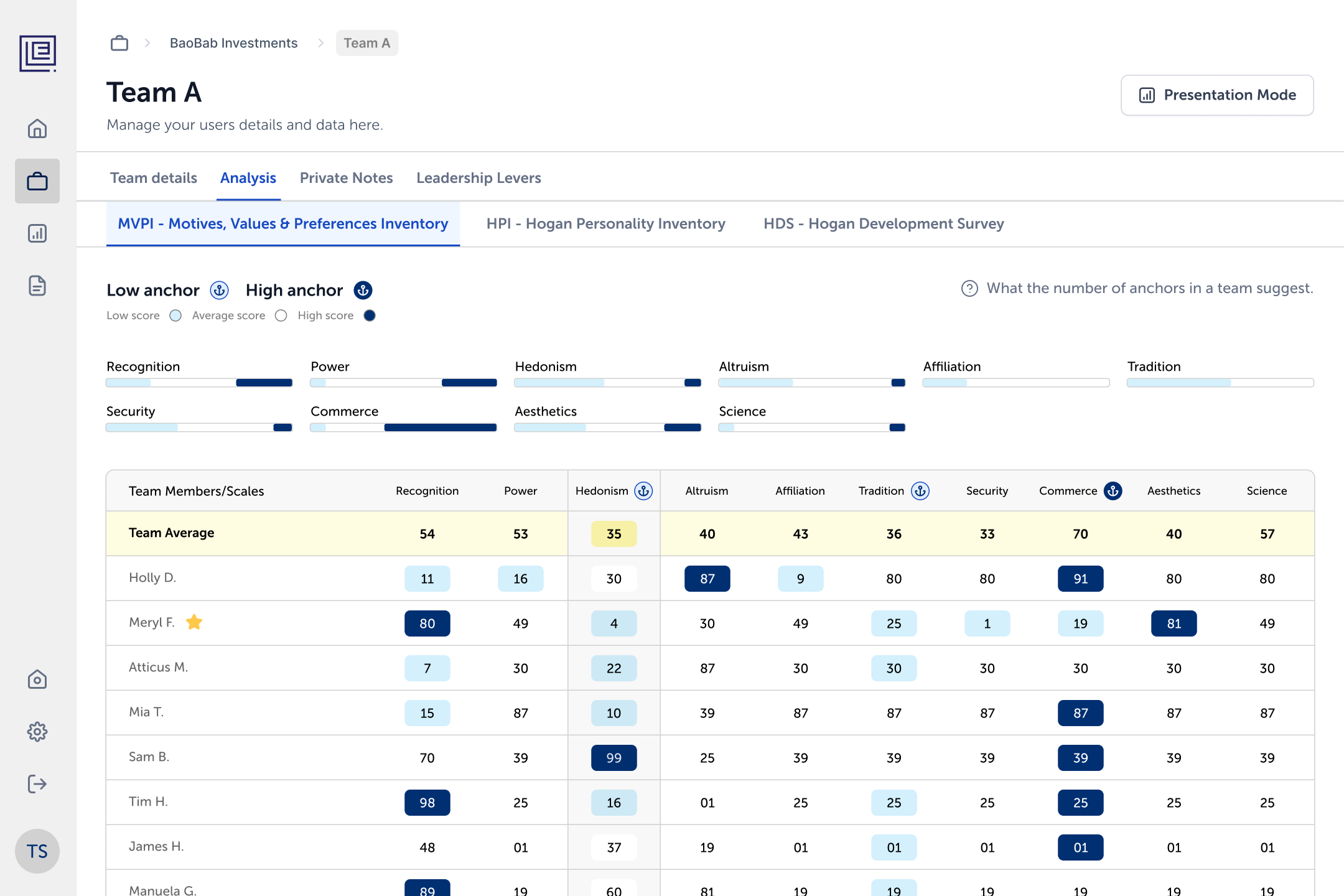
Teams and organisations bring everyone's results together. Bars show how a group is spread across each trait, team members can be ranked on any score, and an anchor marks the scores that define the group's character.

Teams and organisations
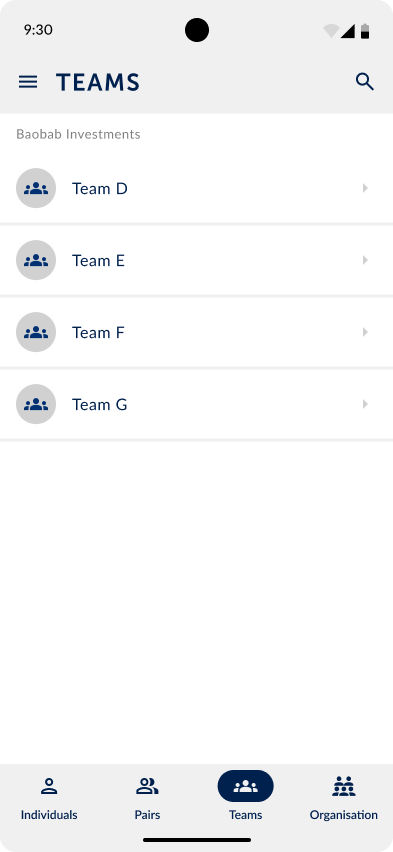
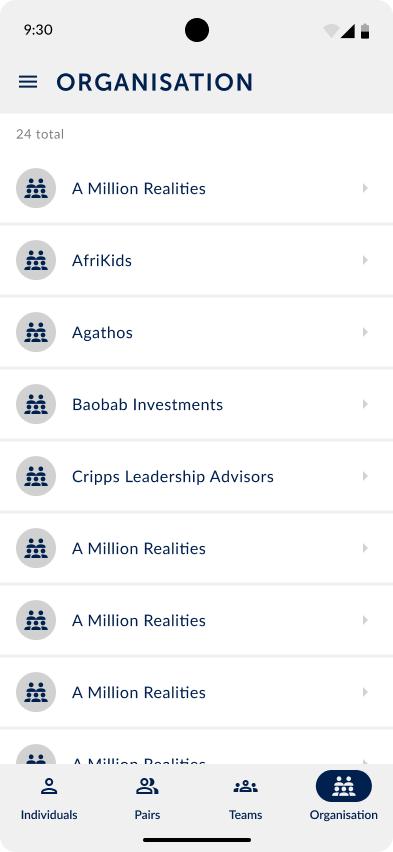
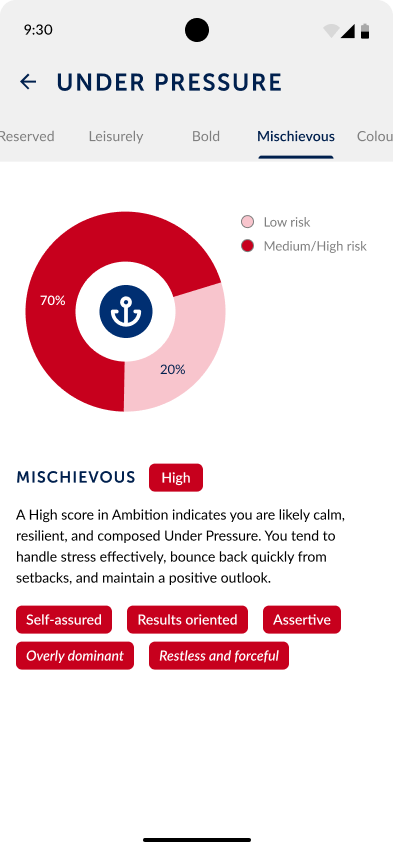
Teams list grouped by organisation Team A under pressure data, with a bar for each trait showing how the team is spread between low and high risk Team members ranked on the Mischievous score, with the team average highlighted List of client organisations Baobab Investments organisation overview on the At your best tab, with anchors on its defining traits Donut chart showing how the organisation splits between low and high risk on Mischievous

Details

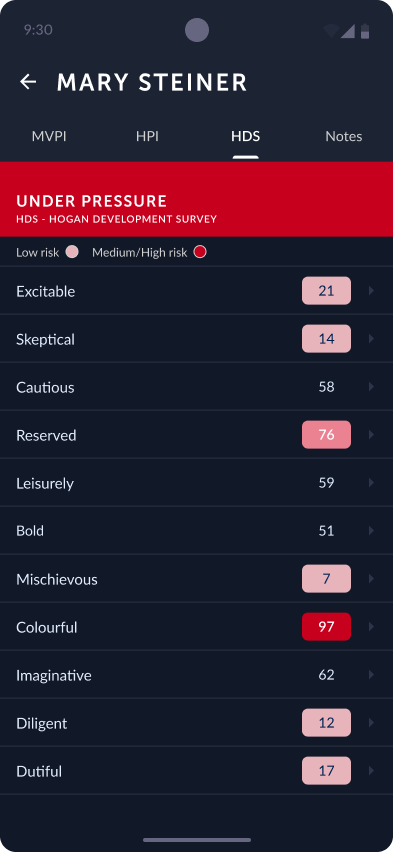
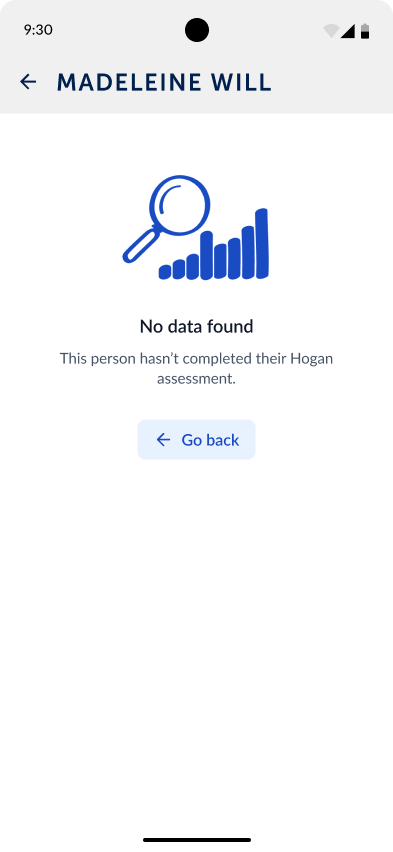
Under pressure report in dark mode Empty state explaining that a colleague hasn't completed their Hogan assessment yet Log in screen with the Exceptional Leadership logo, email and password

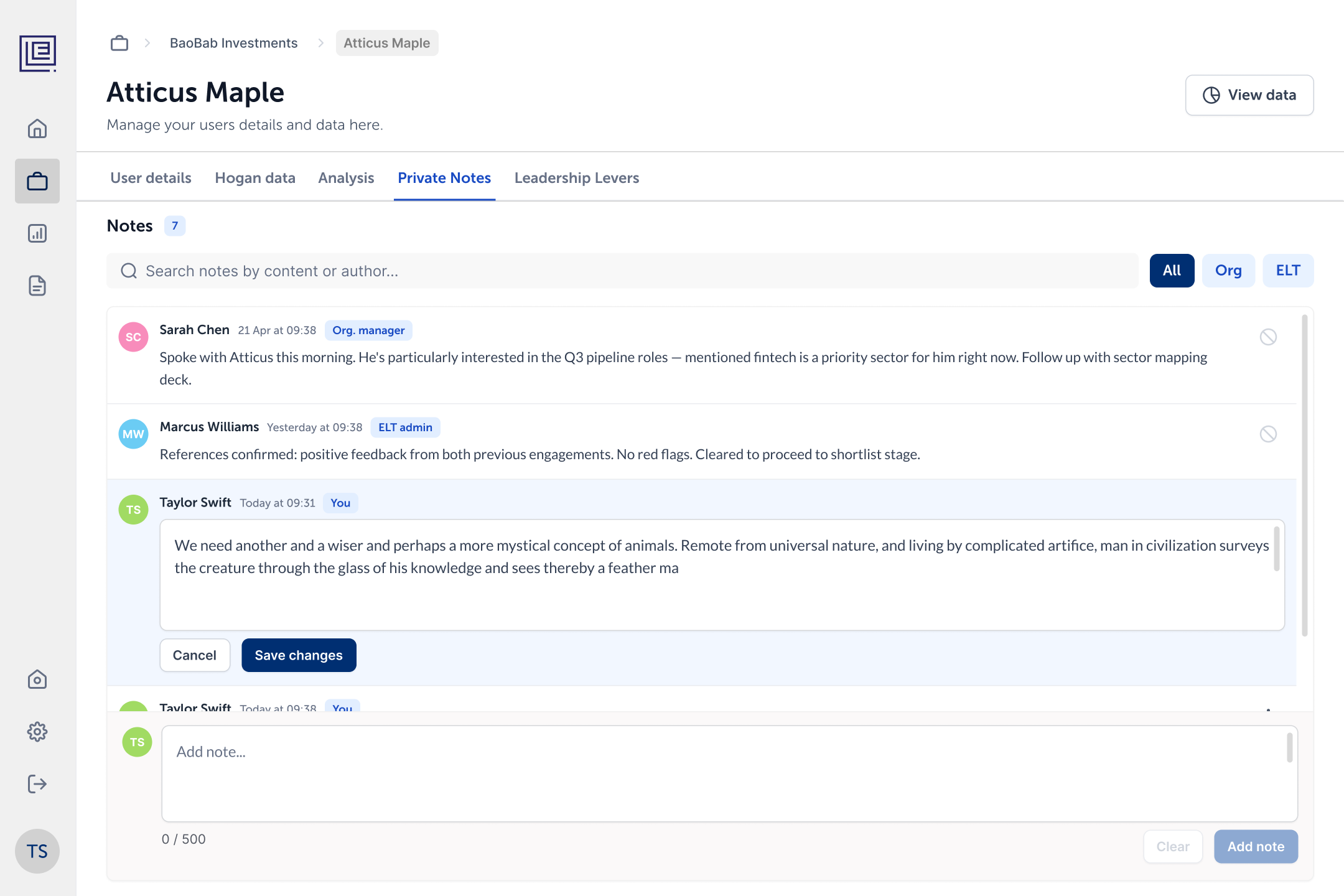
The web portal uses the same colours and language on a bigger screen, and adds the tools the Exceptional Leadership team needs to run each engagement: uploading Hogan reports, managing organisations, people, privacy and access, and keeping private notes on each person. Presentation Mode turns a team's analysis into a view they can show clients live, replacing the PDF decks they used to build by hand.

Web portal
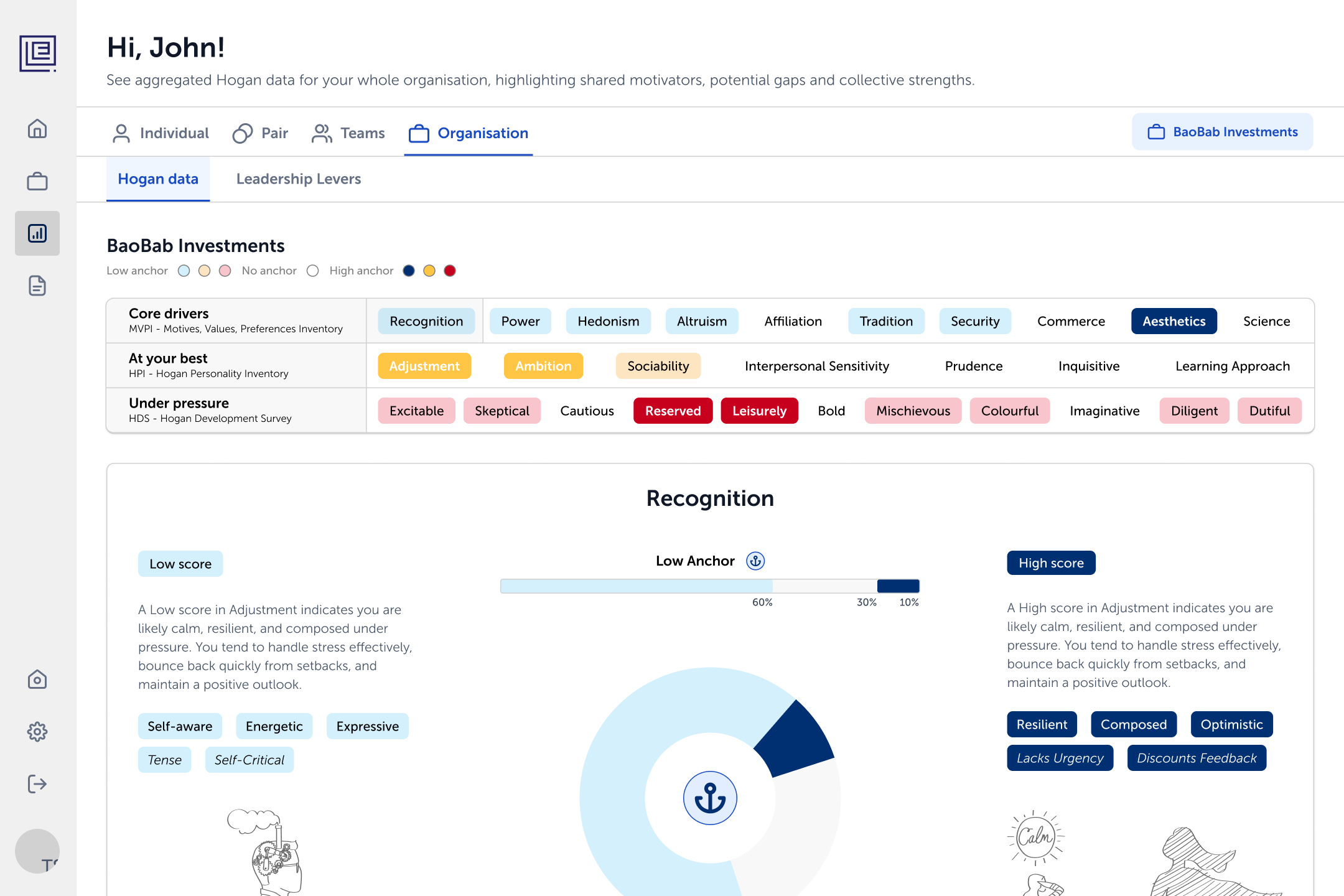
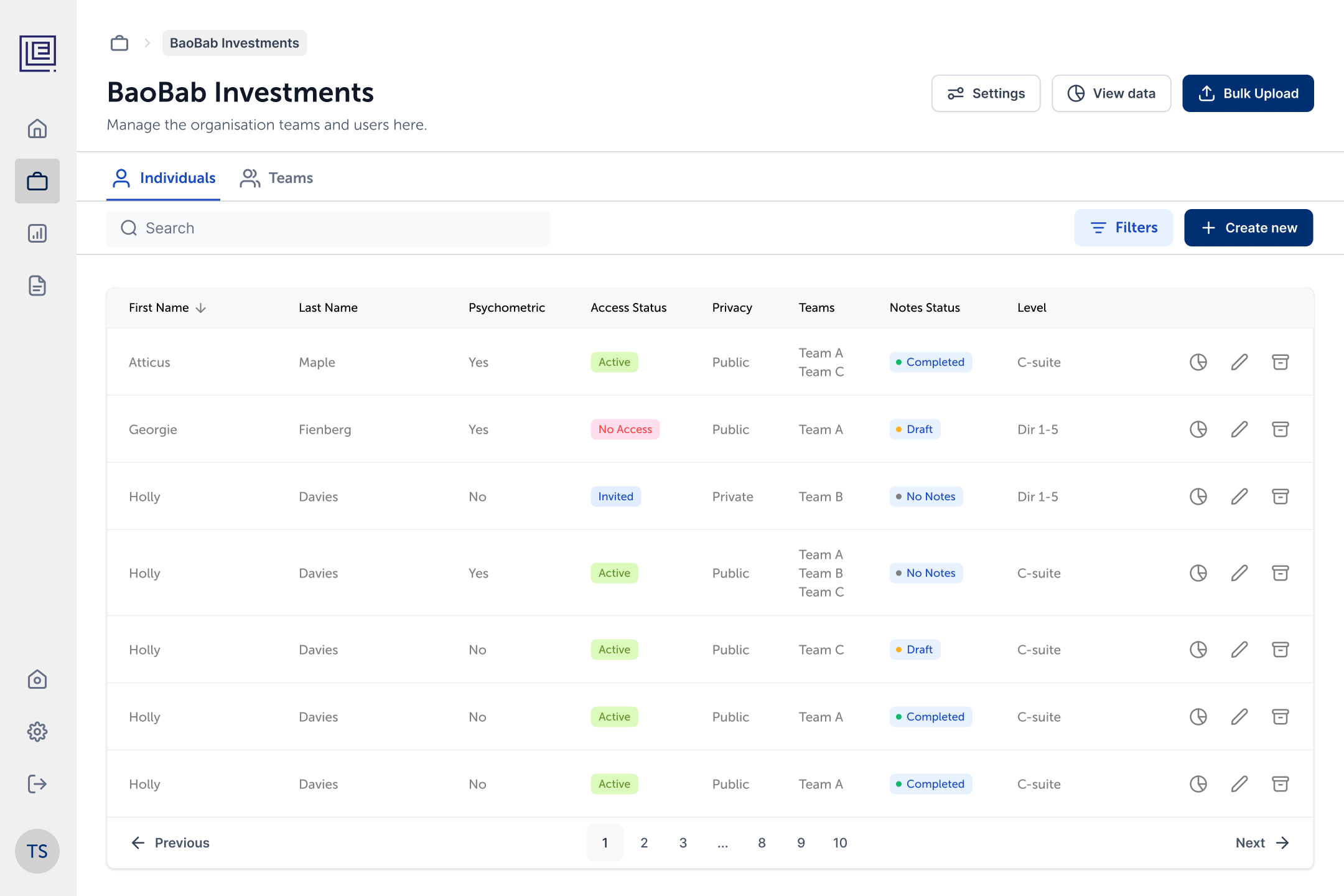
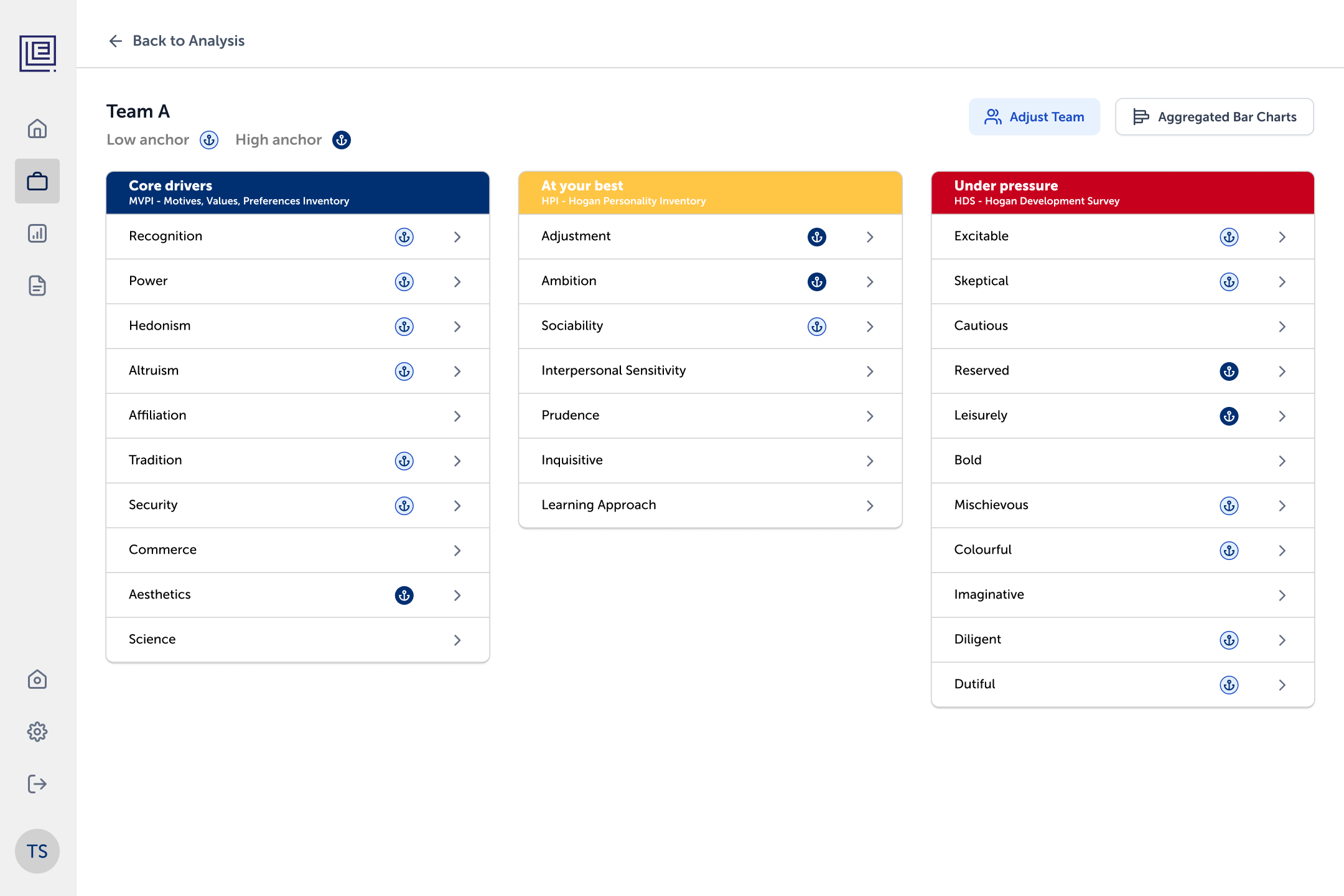
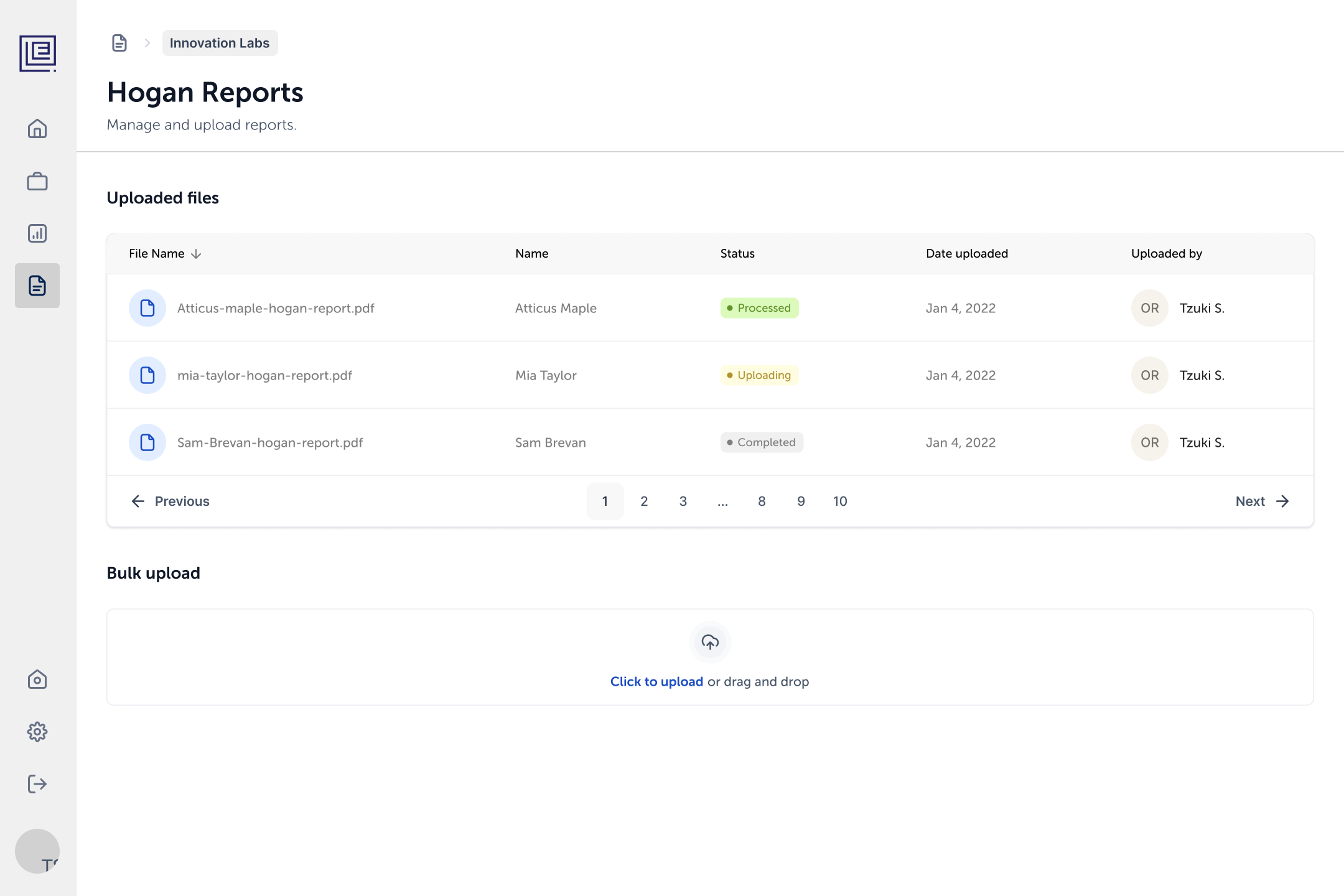
Portal organisation view with every trait across the three reports, marked by anchor, and a donut chart breaking down Recognition Organisation people table with assessment, access status, privacy, teams, notes status and level, plus bulk upload Individual analysis with three columns for core drivers, at your best and under pressure, each score shown on a range slider Private notes on a person, with author roles and filters for organisation and Exceptional Leadership notes Team analysis table with each member's scores, the team average and anchors on the scales that define the team Presentation Mode showing a team's anchors across the three reports, ready to present to the client Hogan Reports page with uploaded files, their processing status and a bulk upload area

Outcome

The app is live on the App Store and Google Play, alongside a web portal for desktop. Instead of waiting for a PDF, clients now see their own results, their teams' and their organisation's whenever they need them, and the Exceptional Leadership team no longer has to match data and build presentations by hand.