AI Video Ad Generator
Overview
A large European price comparison platform wanted to make its advertising more relevant by showing shoppers the specific products they were already looking for, in every market it operates in. I designed the interface of an internal platform that turns any product in the catalogue into on-brand video ads, from adding the products to exporting finished videos for the ad platforms.
Problem
Every video came from a film shoot, so the brand could only advertise products it had already filmed, one market at a time. Making an asset for every product was not a budget question but a physical impossibility, and the brand team had no engineering capacity of its own.
The tool also had to suit the way the team works. It is used all day by a small group of brand marketers who care about throughput and clarity, not novelty, and it had to work for them from day one with no technical team behind it. Behind the interface sits a multi-step AI pipeline (fetch the product image, describe it, write a video prompt, generate the video, add logo, overlays and music), and the interface had to make that pipeline feel like a simple, predictable flow.
Approach
I organised the product around the team's real vocabulary: a campaign holds products, each product produces several videos in different formats (9:16, 16:9 and 4:5) and markets, and each video is a variation that can be approved or discarded. Creating a batch became a three-step flow with a stepper at the top: upload products, evaluate and discard, then config and destinations.
The direction is calm, dense and professional: the brand's navy and orange, a quiet neutral palette and clear status colours, so a marketer can scan dozens of campaigns and hundreds of videos without reading every line. Two moments mattered most to the team, watching videos generate and reviewing the finished results, so the evaluate step was designed around them and to stay usable at around 50 videos per product. I built the flow as a clickable HTML prototype to test it with the team before development.
Platform
Here are the main screens from the prototype. Scroll inside the longer previews to see the full page.
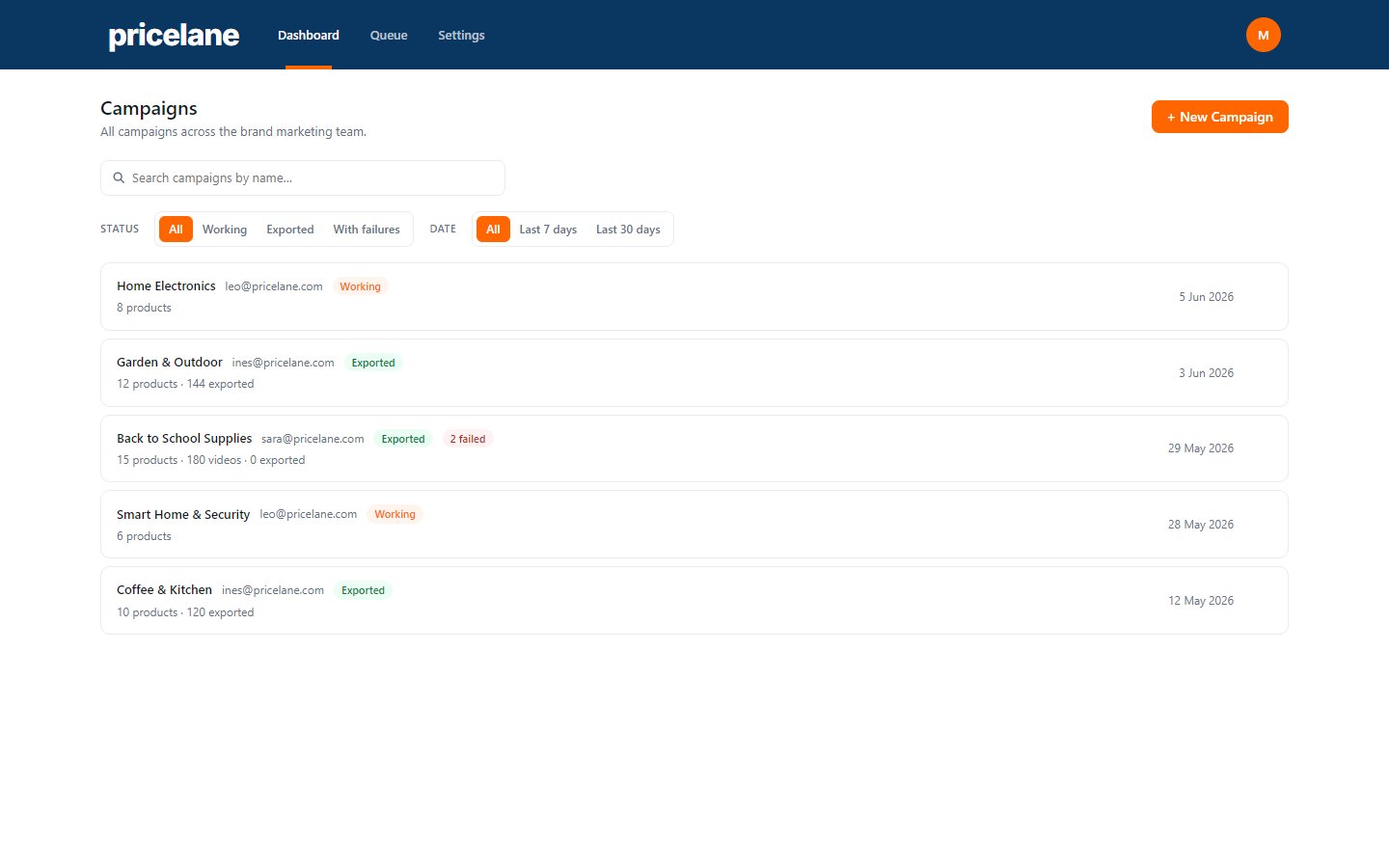
Campaigns dashboard
The landing screen and the most used one. Every campaign shows its owner, what it contains and its status at a glance, with filters for status and date.
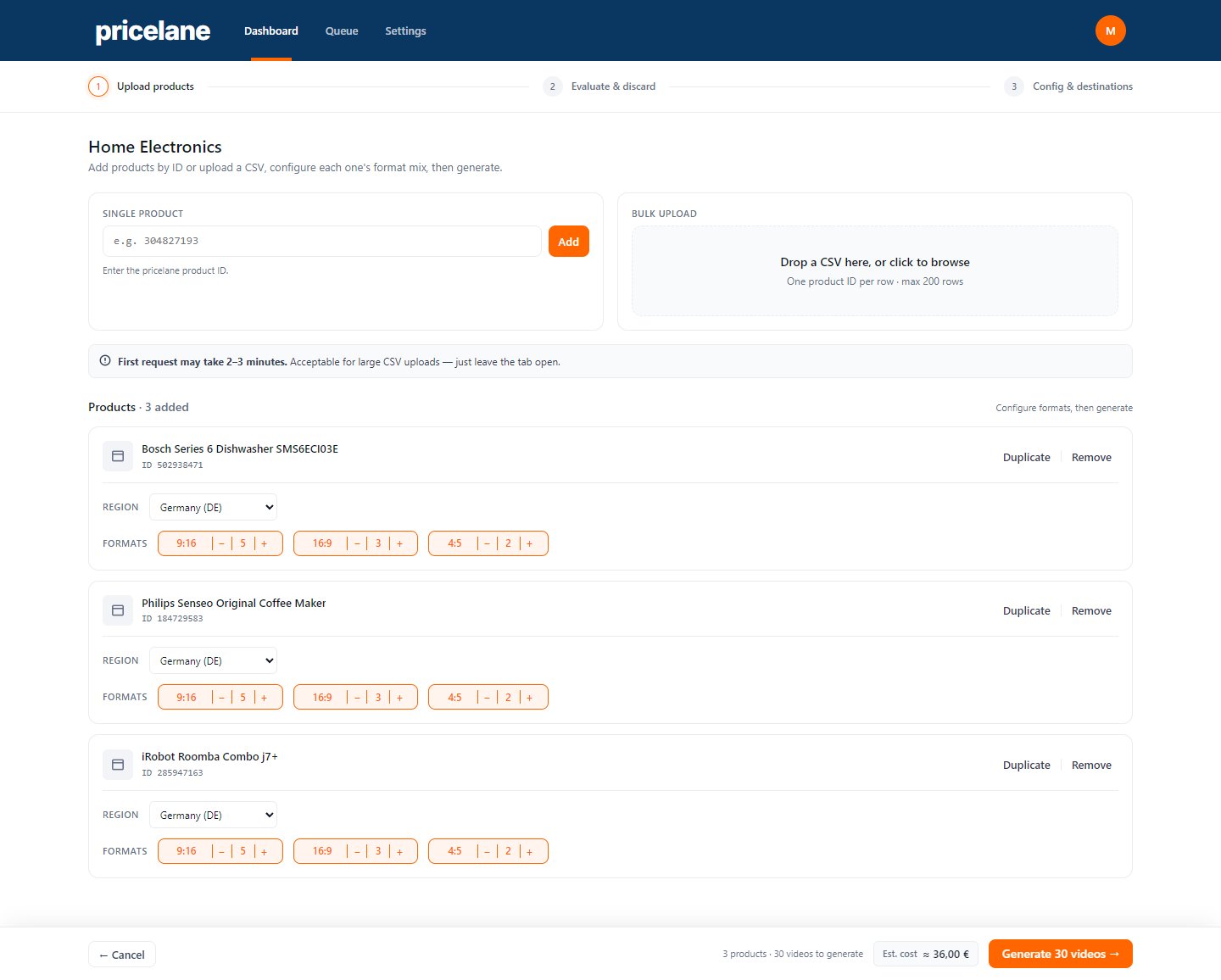
1. Upload products
Products are added one by one with their product ID or in bulk from a CSV. Each product gets its own market and format mix, and the footer shows how many videos will be generated and an estimated cost before anything runs.
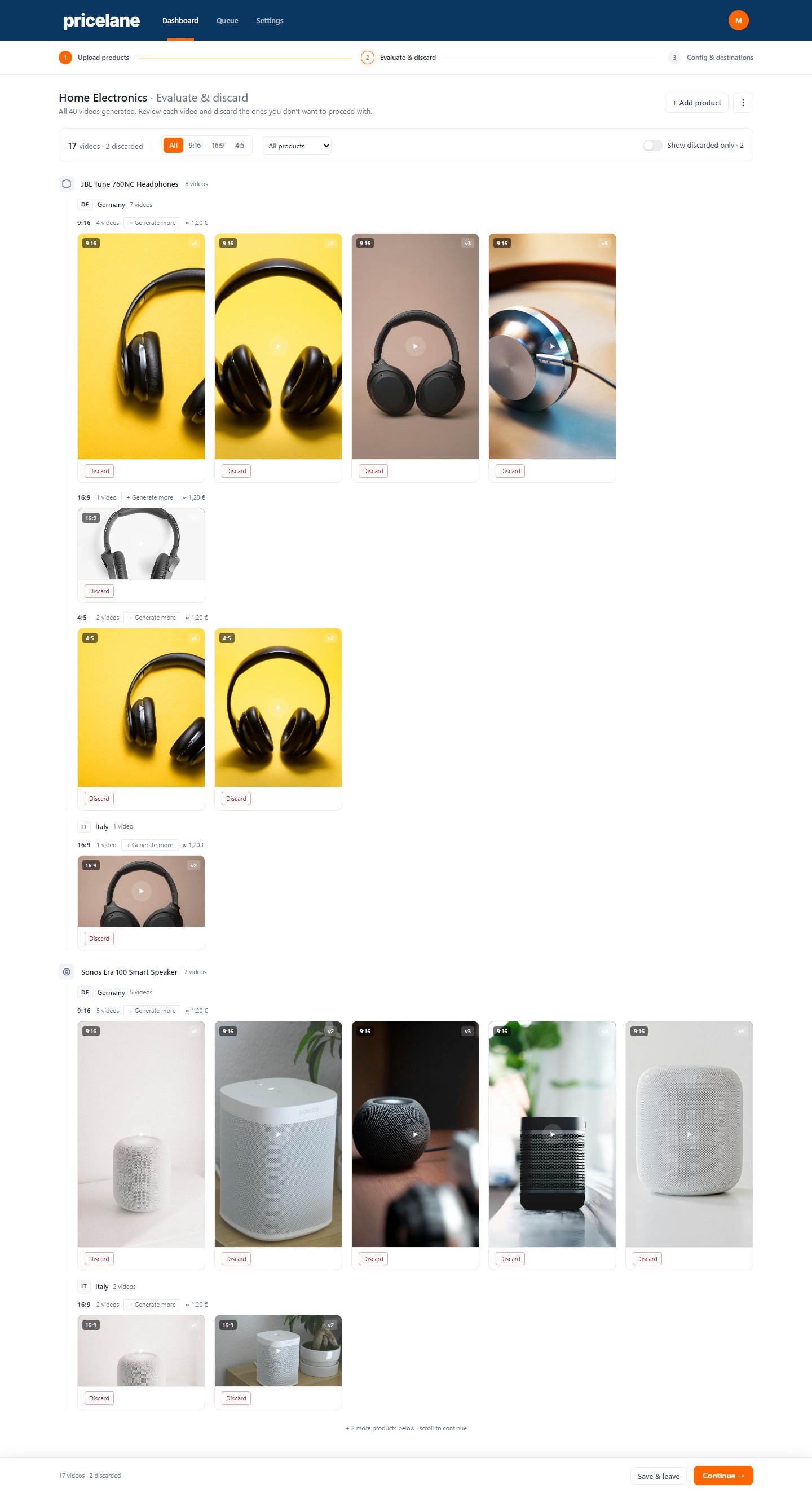
2. Evaluate & discard
Generated videos are grouped by product, then market, then format, and shown in their native aspect ratios so they are easy to scan and compare. Filters narrow the grid by format or product, "Generate more" adds variations to a single group, and anything that doesn't work is discarded in one click.
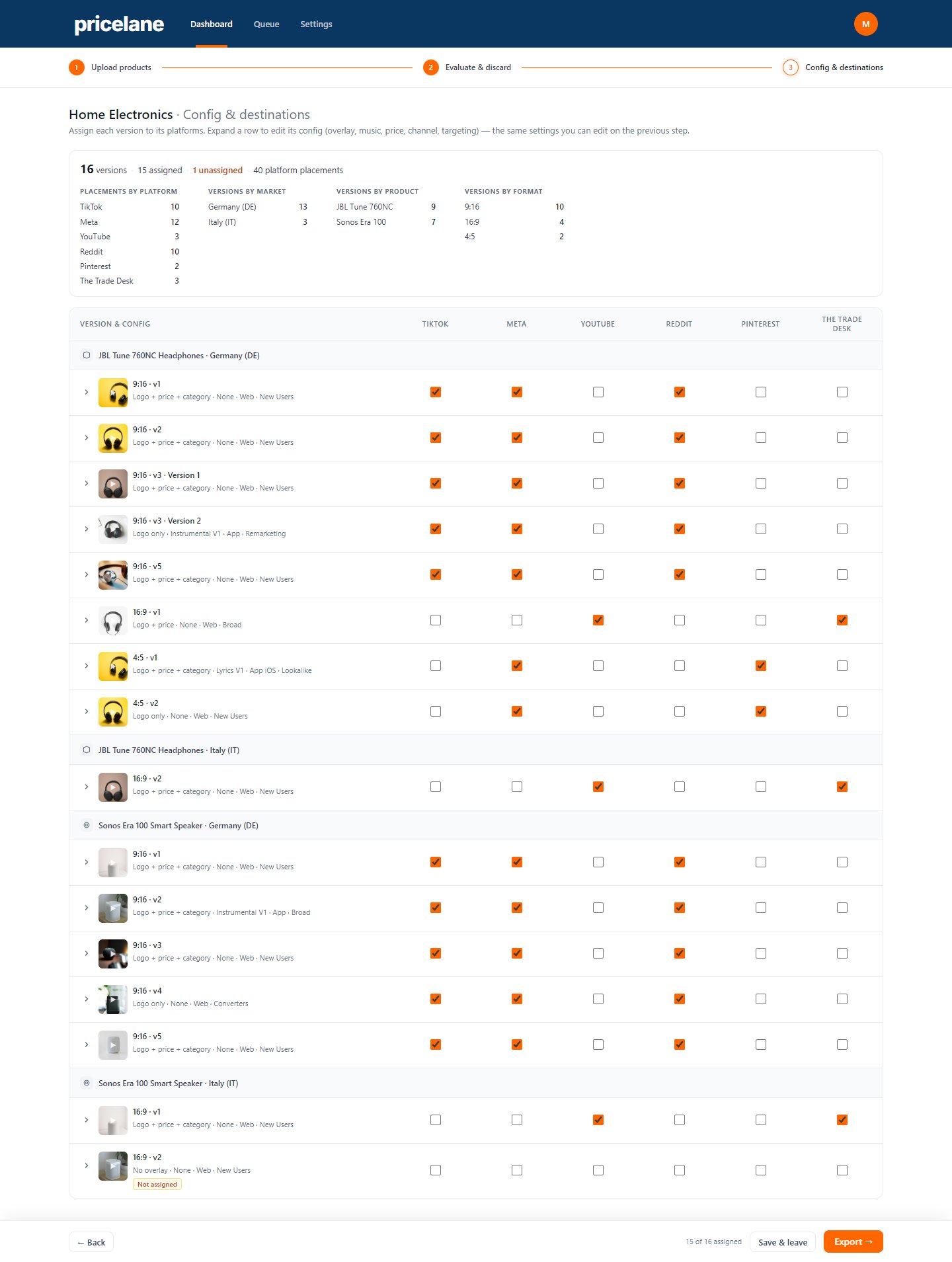
3. Config & destinations
Every approved version is assigned to the platforms it will run on, from TikTok and Meta to YouTube, Reddit, Pinterest and The Trade Desk. A summary at the top counts placements by platform, market, product and format, and flags any version that has not been assigned yet before export.
Outcome
The brand team is running campaigns on the platform today. A single run now produces hundreds of social videos in about half an hour, each adapted to the product and to the market it is sold in. Cost per acquisition came down by around 20%, the cost and time to produce content fell by around 95%, and the platform adapts content to five markets.